
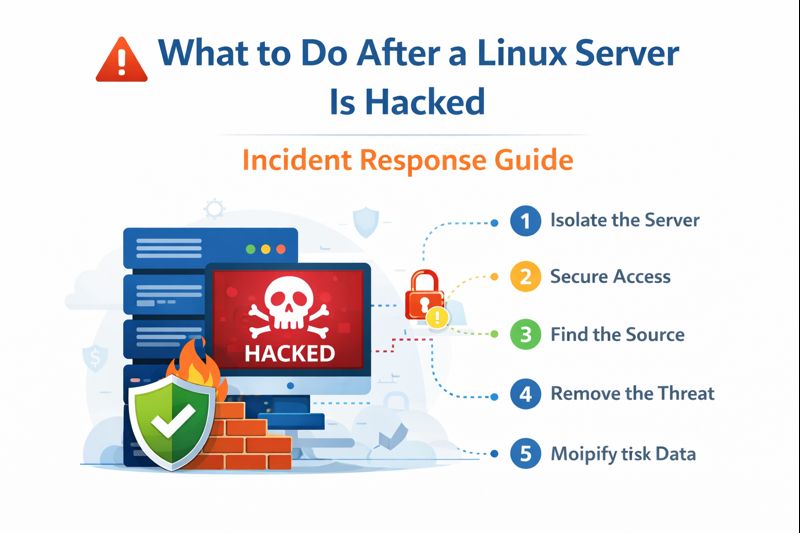
A hacked server is scary—but panic makes things worse.
This guide explains exactly what to do after a Linux server is hacked, in plain language, so business owners and non-technical clients can act fast and correctly.
🧠 First: What Does “Server Is Hacked” Mean?
A server may be hacked if you notice:
- Website suddenly goes offline
- Unknown files or folders appear
- High CPU or bandwidth usage
- Strange login alerts
- Hosting provider sends a security warning
- Users report spam, redirects, or data issues
👉 If anything feels unusual, assume a breach and act immediately.
⏱️ Step 1: Stay Calm & Stop the Damage
Do NOT
- Restart the server randomly
- Delete files
- Try fixes without understanding the issue
These actions can destroy evidence and make recovery harder.
🔒 Step 2: Isolate the Server (Very Important)
The first real action is containment.
What this means (in simple terms):
- Stop the server from communicating with attackers
- Prevent further damage
Typical actions:
- Block external access temporarily
- Restrict logins
- Put the site in maintenance mode (if possible)
👉 This limits how far the attack can spread.
🔑 Step 3: Secure Access Immediately
Change all access points:
- Server passwords
- SSH keys
- Control panel credentials
- Database passwords
- API keys
Even if you’re unsure—assume everything is exposed.
🔍 Step 4: Find What Actually Happened
This is where most people fail.
You need answers:
- How did they enter?
- When did it start?
- What was accessed or changed?
Servers record this information in logs—but logs are long and confusing.
👉 This is why agent-based security is critical (your project advantage):
- The agent already monitors login attempts
- Detects unusual behavior
- Shows clear alerts instead of raw logs
🧹 Step 5: Remove the Threat Safely
After understanding the attack:
- Remove malicious files
- Disable compromised users
- Fix the vulnerability (weak password, open port, outdated software)
⚠️ Removing files without fixing the cause = the hacker will return.
♻️ Step 6: Restore Clean Data (If Needed)
If files or databases were changed:
- Restore from a clean backup
- Never restore backups created after the attack started
A good backup is your last line of defense.
🛡️ Step 7: Strengthen Security (Post-Incident)
After recovery, upgrade protection:
- Enable firewall rules
- Limit login attempts
- Monitor critical activities
- Add real-time alerts
- Use agent-based monitoring
👉 This step decides whether the incident is one-time or recurring.
⚠️ Risks If You Ignore Proper Incident Response
❌ Data theft
❌ Website blacklisting (Google warnings)
❌ Legal & compliance issues
❌ Business downtime
❌ Loss of customer trust
Many businesses don’t fail from the hack—
They fail from poor response.
✅ How Agent-Based Security Helps After a Hack
Your security platform is designed for this exact situation:
- Detects breaches early
- Shows what happened, not just alerts
- Tracks attacker IPs and behavior
- Helps verify the system is clean again
- Prevents repeat attacks
👉 This turns chaos into controlled recovery.
🏁 Final Simple Advice
A hacked server is recoverable.
A poorly handled incident is not.
Fast action, correct steps, and continuous monitoring make all the difference.