
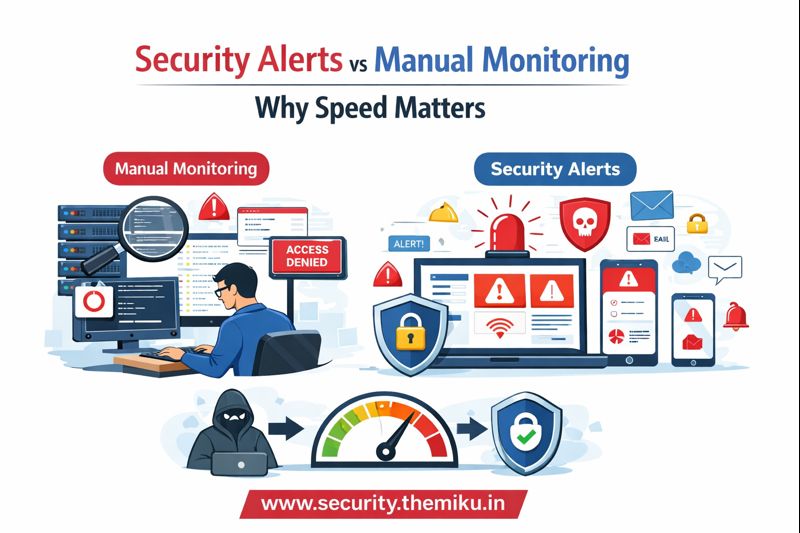
In today’s internet-facing world, server attacks don’t come with warnings. Hackers don’t wait for business hours, and they don’t give second chances. The biggest difference between a secure server and a compromised one often comes down to speed.
That’s where the debate begins:
👉 Security Alerts vs Manual Monitoring
What Is Manual Monitoring?
Manual monitoring means humans checking logs by themselves, such as:
- Reviewing
/var/log/auth.log - Scanning Nginx or Apache access logs
- Manually checking failed SSH login attempts
- Looking at CPU or disk usage occasionally
❌ Problems with Manual Monitoring
- Logs are checked after something feels wrong
- Attacks can run for hours or even days unnoticed
- Humans get tired, busy, or distracted
- No alerts at night, weekends, or holidays
By the time you notice an issue manually, the damage may already be done.
What Are Security Alerts?
Security alerts are automated notifications triggered instantly when suspicious activity happens.
Examples include:
- Multiple failed SSH login attempts
- Unknown IPs scanning ports
- Sudden spikes in error logs
- Unauthorized access attempts
- Malware-like behavior
The moment something abnormal occurs, you get alerted via:
- Centralized dashboards
- Email notifications
- Telegram / Slack alerts
- System-level warnings
For a smoother and more reliable experience, platforms like
👉 https://security.themiku.in/
provide real-time Linux security alerts, log monitoring, and centralized visibility—so you don’t have to constantly watch logs manually.
Why Speed Matters in Security
⏱️ Hackers Move Fast
Most automated attacks follow this pattern:
- Scan IP
- Identify open ports
- Launch brute-force attack
- Gain access
- Escalate privileges
- Install backdoors
This entire chain can happen in just a few minutes.
Manual monitoring usually reacts at Step 6.
Security alerts stop attacks at Step 2 or 3.
That time difference is often the difference between a blocked attack and a breached server.
Security Alerts vs Manual Monitoring (Quick Comparison)
| Feature | Manual Monitoring | Security Alerts |
|---|---|---|
| Detection Speed | Slow | Instant |
| Human Effort | High | Minimal |
| 24/7 Coverage | ❌ No | ✅ Yes |
| Real-Time Response | ❌ No | ✅ Yes |
| Attack Prevention | Weak | Strong |
Real-World Example
Scenario:
A hacker attempts 200 SSH login tries from a foreign IP.
Manual Monitoring
- You notice it the next morning
- Root access already compromised
- Website defaced or sensitive data leaked
Security Alerts
- Alert triggered after 5–10 failed attempts
- IP blocked immediately
- No damage done
Same attack. Very different outcome.
Why Modern Servers Need Alerts, Not Guesswork
Today’s threats are:
- Automated
- Persistent
- Global
- Silent
Relying only on manual checks is like locking your door but never watching the CCTV.
Security alerts:
- Reduce response time
- Prevent breaches
- Save recovery costs
- Protect your reputation
Using a real-time monitoring platform like
👉 https://security.themiku.in/
helps you stay informed instantly instead of reacting after the damage.
Final Thoughts
Manual monitoring still has value—but only as a secondary layer.
Primary protection must be real-time, automated, and fast.
👉 In server security, speed isn’t a luxury—it’s survival.
If you’re managing Linux servers and still relying only on manual log checks, now is the time to rethink your defense strategy—and move toward real-time security alerts for a better experience.